
Registration form
After clicking on the begin registration button, the form will be rendered. After filling up the form the CSP can submit the form response to the GCRO team for escalation if needed.
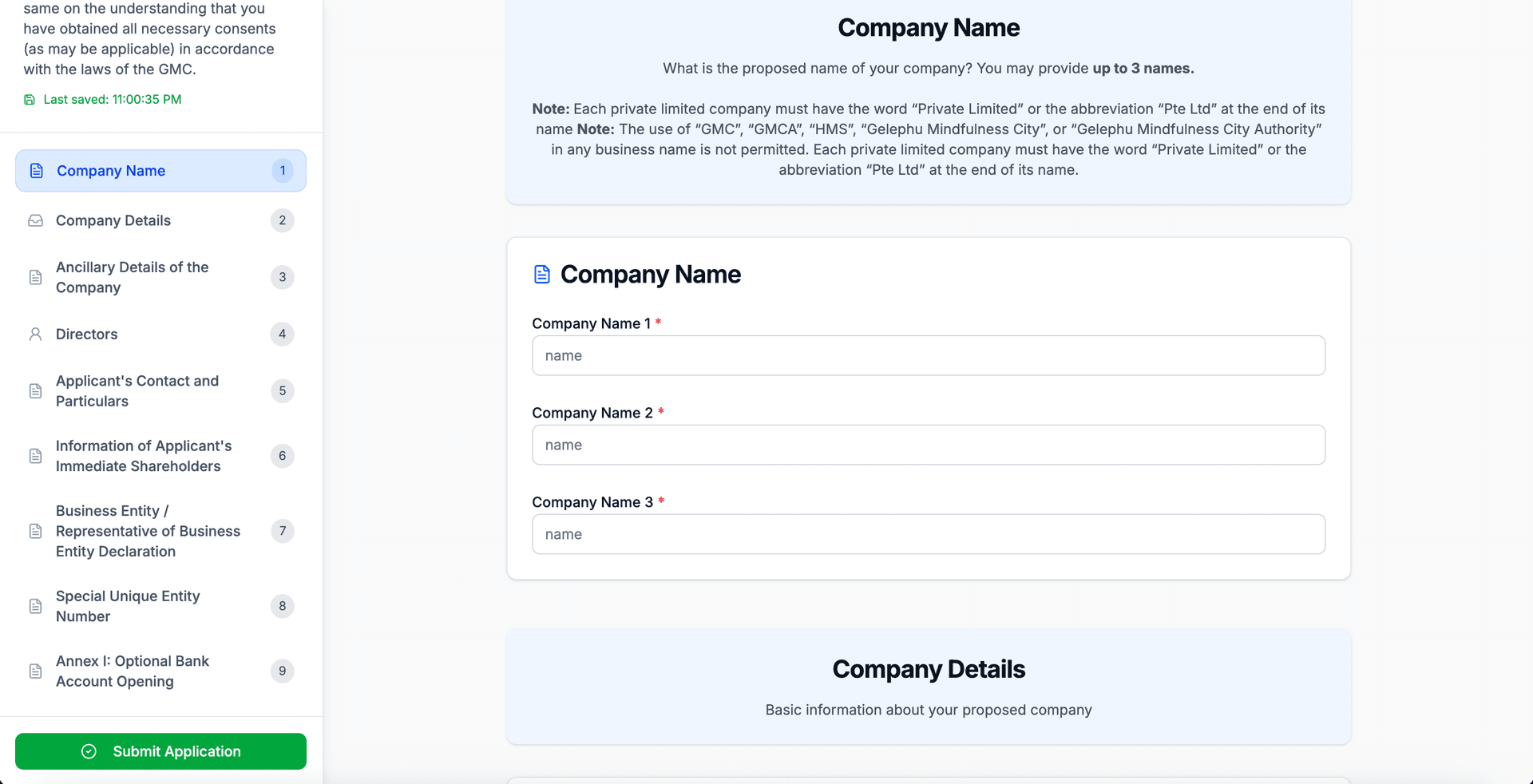
Expression of Interest page confirmation dialog box
After the registration form is submitted the status of the card will be changed and disabled like the following. The admin will then follow up with escalation and user will be notified in case of remarks.
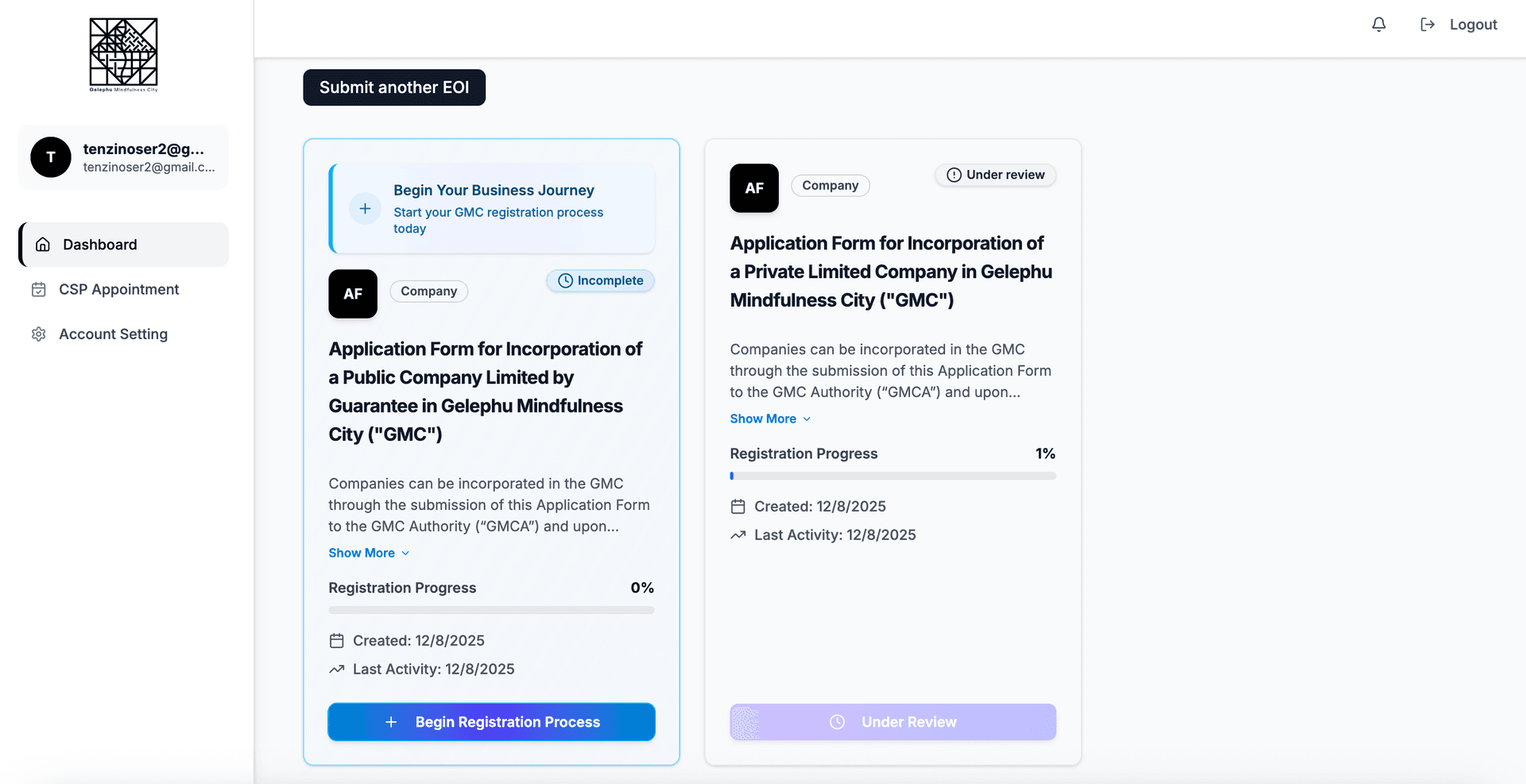
Expression of Interest page confirmation dialog box
Remarks from Admin
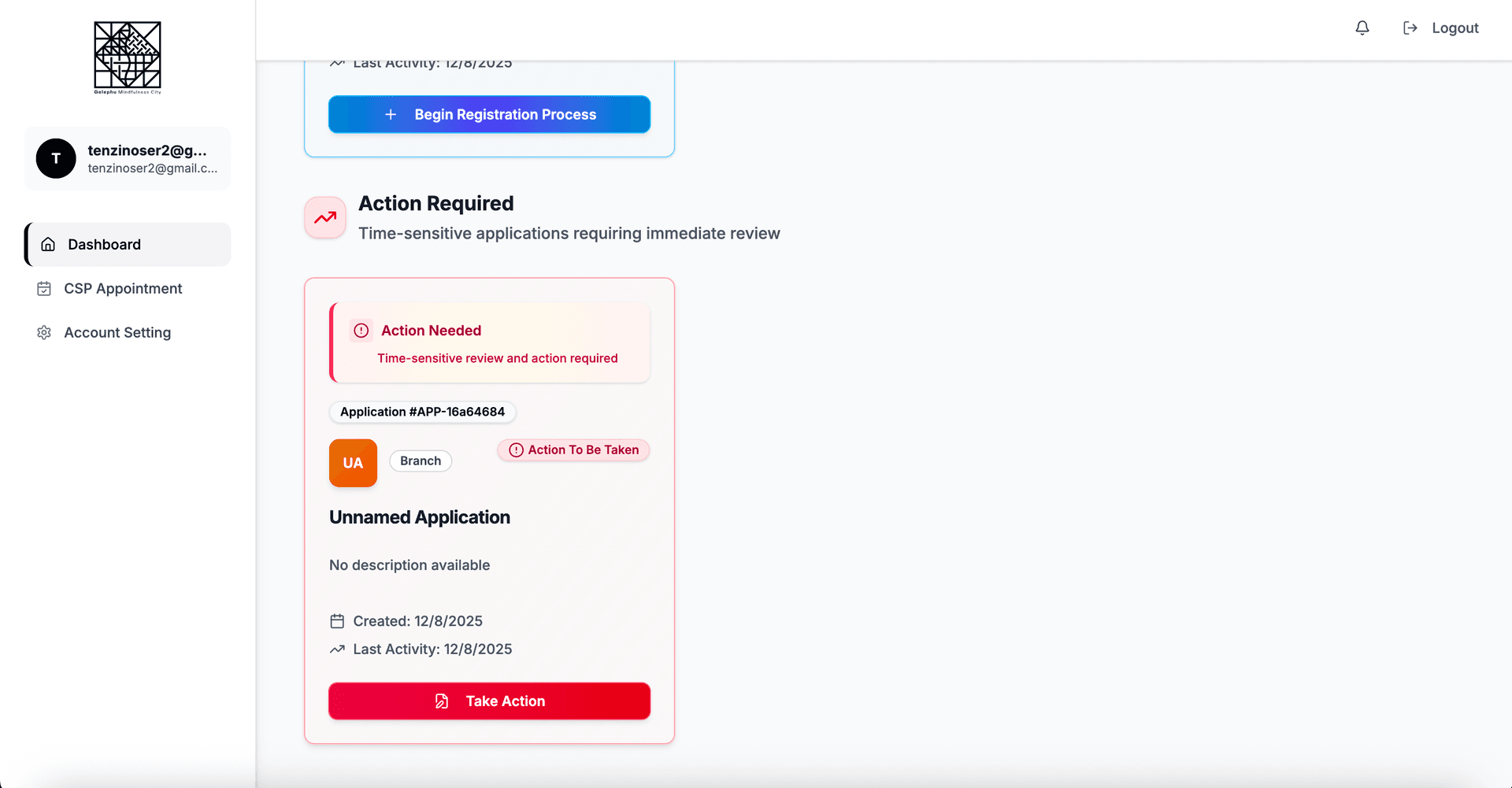
If Admin sent a remark, client will be notified via email and the application status will be changed to (action to be taken) like the following.
The remark and the communication card below will be displayed under the concerned section.
Expression of Interest page confirmation dialog box
The remark and the communication card below will be displayed under the concerned section.
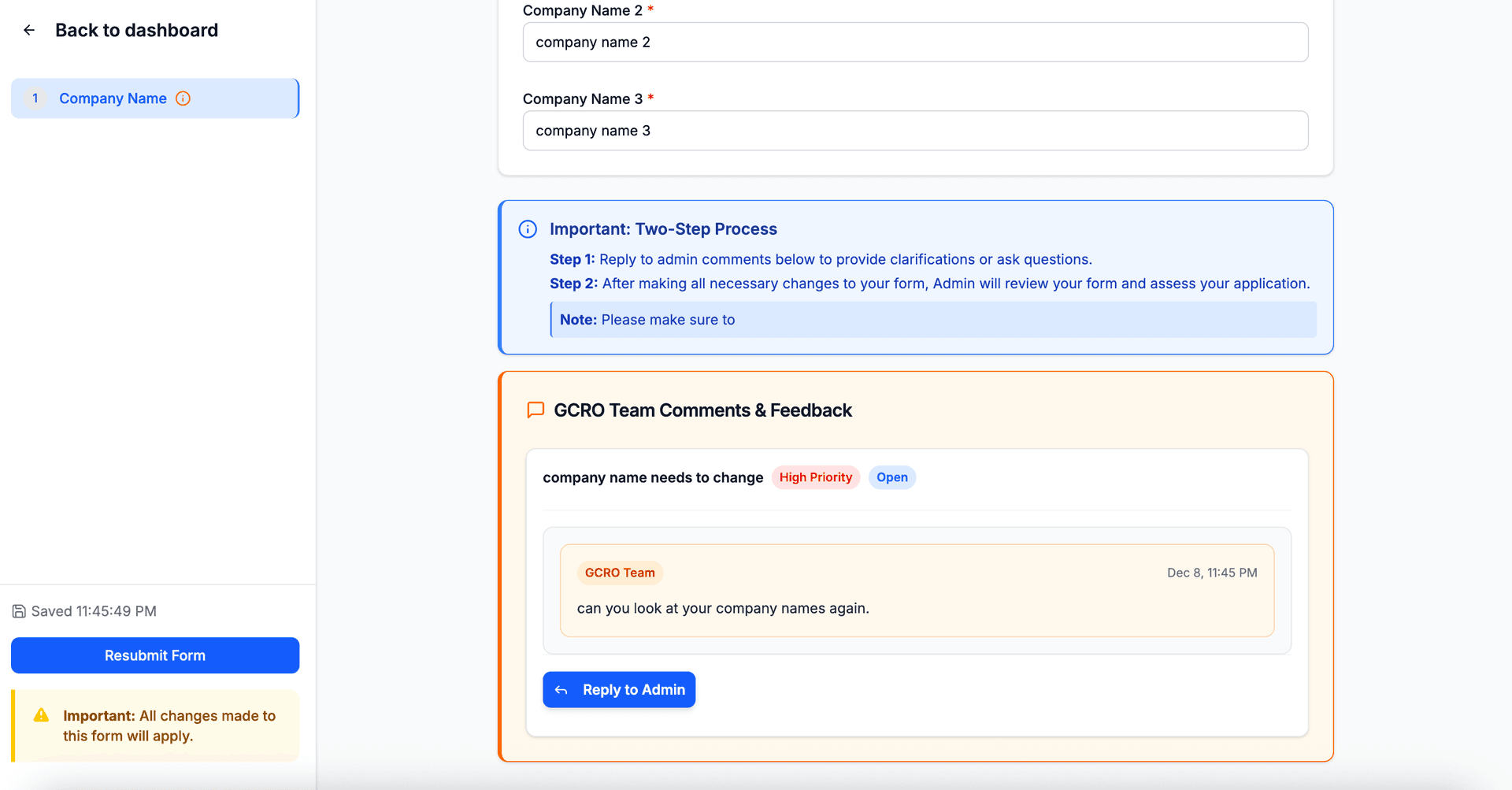
Expression of Interest page confirmation dialog box
Client can reply for clarification or change the application details according to admin comments.
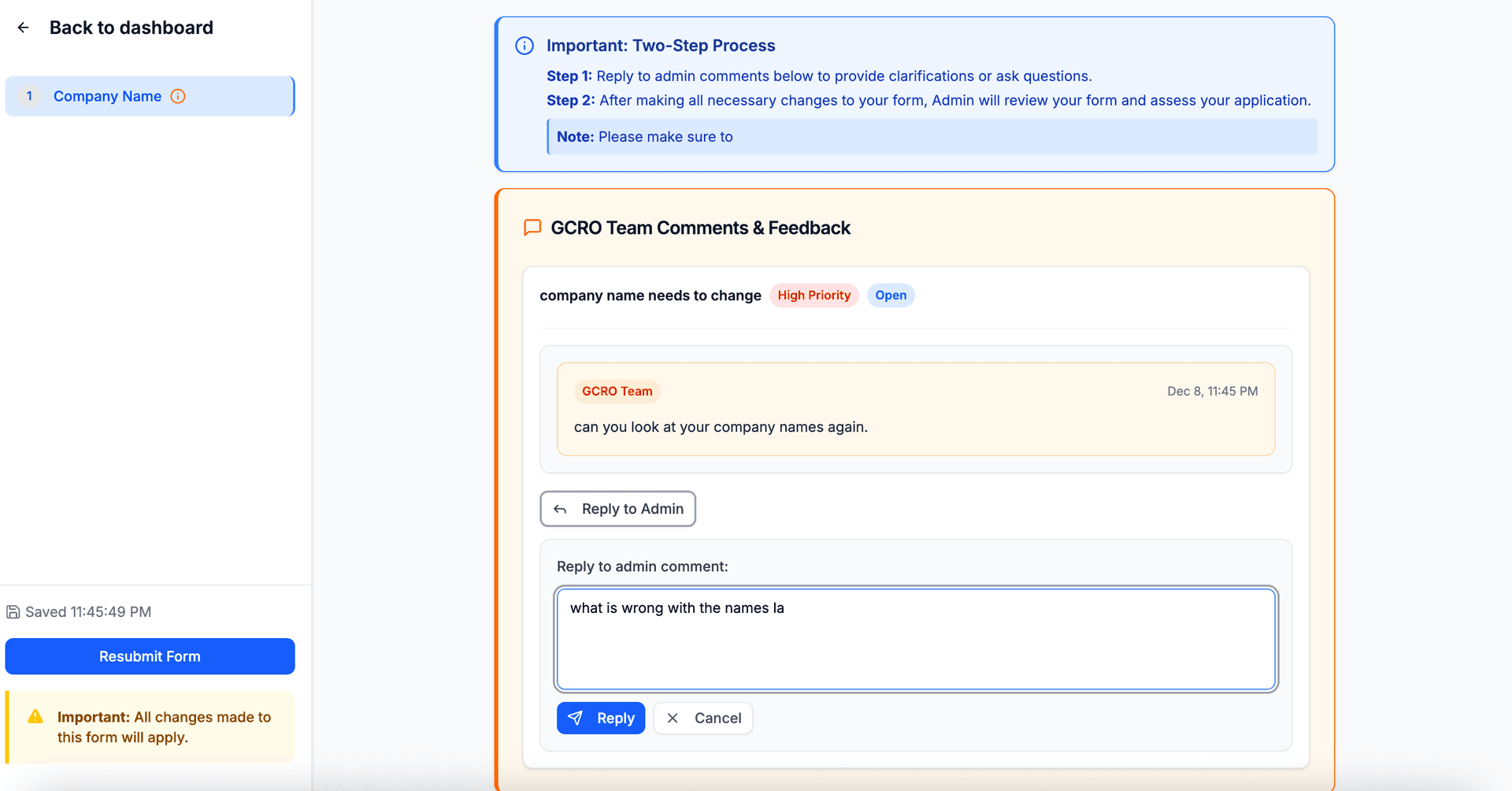
Expression of Interest page confirmation dialog box
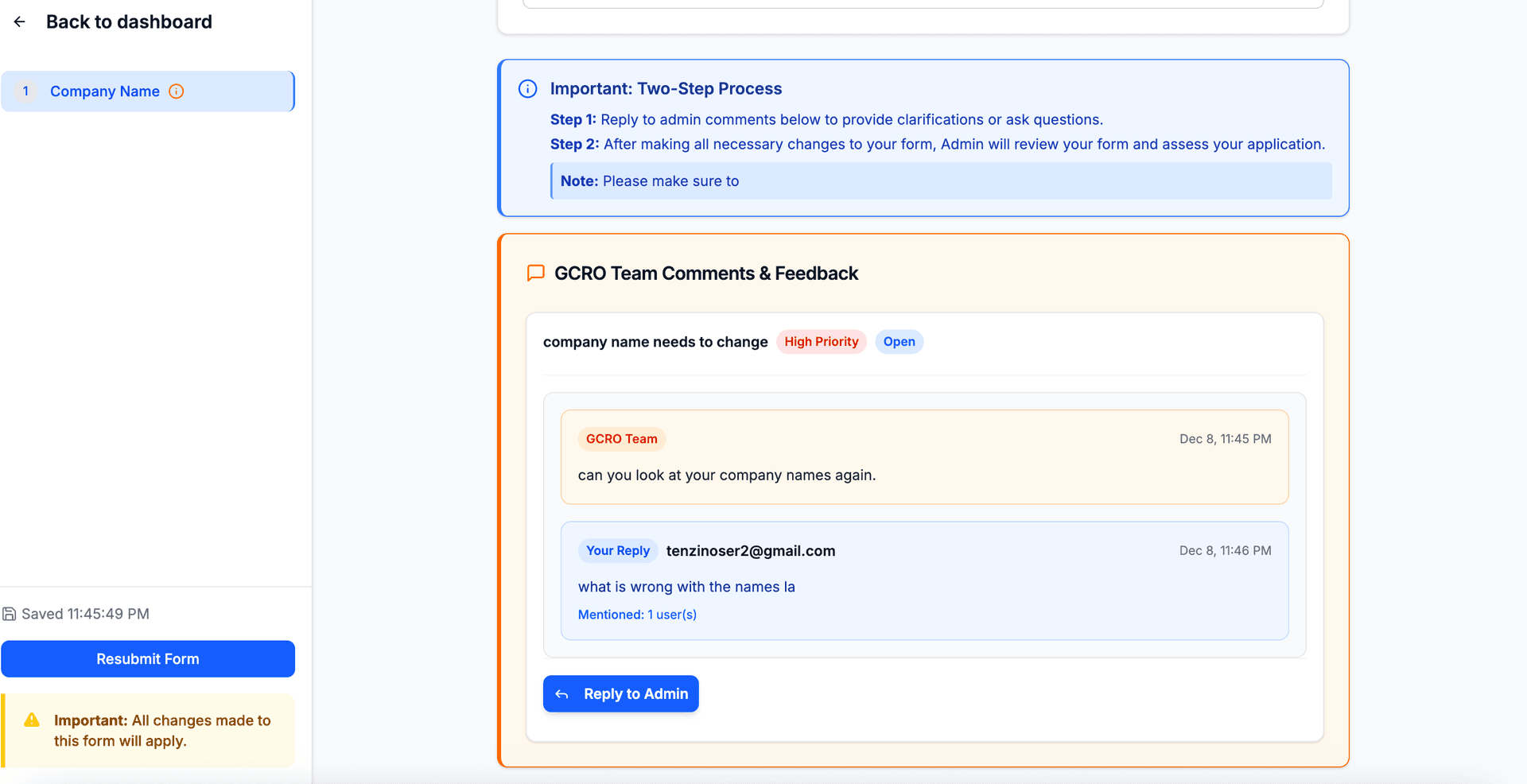
Expression of Interest page confirmation dialog box
NOTE: After all communications are done, client can resubmit form for final assessment